
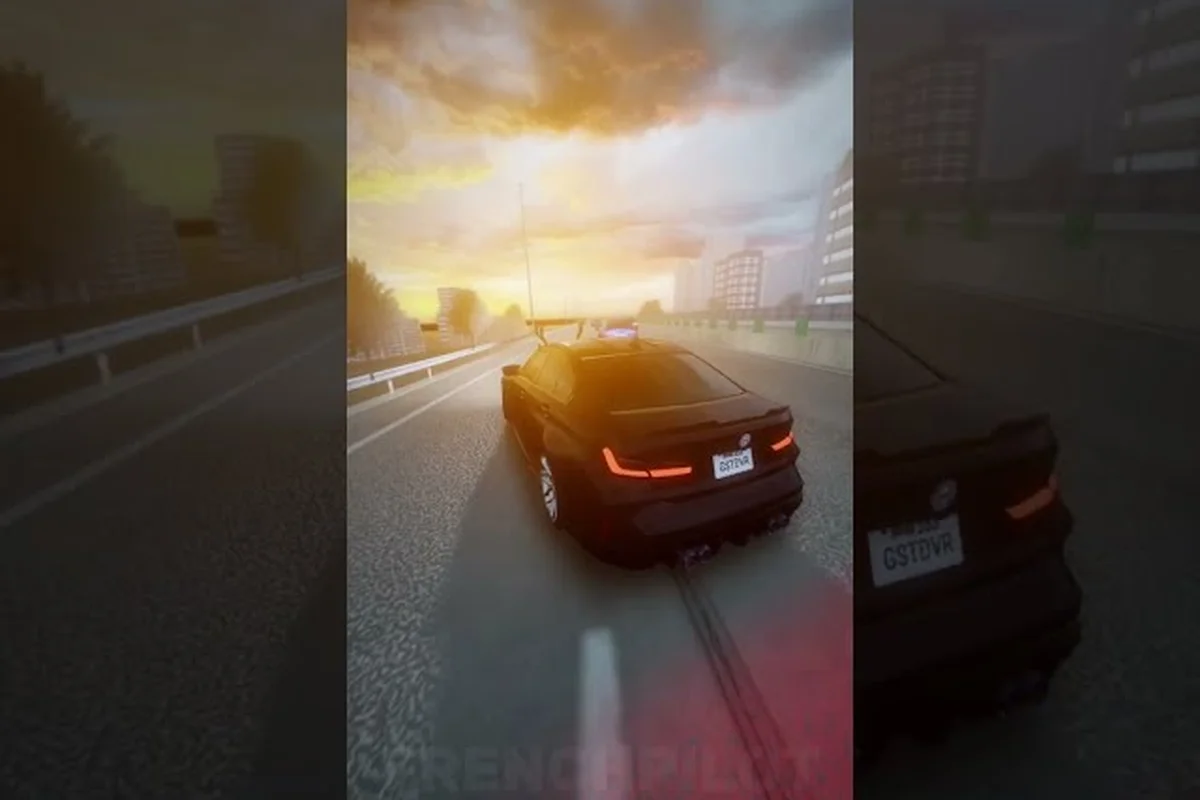
Learning to drift around traffic in Ghost Driver is the single biggest skill jump between surviving your first highway run and chaining long, high-value combos. The game's pre-alpha build rewards drivers who can flick the handbrake mid-lane, rotate the car smoothly, and carry that rotation into the next gap without scrubbing speed. Because the official game page lists Shift as the handbrake and drift key, mastering that one input unlocks a completely different way to read the highway.
The problem most new drivers hit is treating drifting as a separate trick rather than a traffic-cutting tool. When you use a well-timed slide to change direction faster than steering alone allows, you turn tight gaps into scoring opportunities. This guide breaks down the exact key inputs, camera angles, and speed windows that make drifting around traffic feel natural, so you stop crashing into the cars you are trying to thread.
Why Drifting Around Traffic Changes Your Run Score
Ghost Driver Traffic-Gap Reading: The 901K-Visit Highway Loop
Reading Ghost Driver's highway traffic gaps is the core of the drift-around-traffic score loop. With 901,364 total visits and roughly 3,400 peak online players, the PRE-ALPHA build's traffic density is tuned for aggressive swerving. Instead of braking for the first gap you see, hold your drift angle and target the second lane over—the AI traffic moves in predictable 2-3 car clusters. A concrete example: approaching a 4-lane stretch at redline, commit to the far-right gap only if the lead car's brake lights are off; otherwise, shift your handbrake input 0.5 seconds later to thread the middle lane.
V-Key Camera Switching: Third-Person vs. First-Person Gap Judgment
Ghost Driver's V key toggles between third-person and first-person views, and each changes how you judge traffic gaps. Third-person gives a 40-degree wider field of view, letting you spot the 2-3 car clusters mentioned in the traffic loop, but it distorts depth perception when threading tight gaps. First-person, activated via V, gives true distance judgment for high-speed cuts but hides cars directly beside you. For the drift-around-traffic score run, switch to first-person only when entering a confirmed gap, then flick back to third-person to spot the next opening—this V-toggle rhythm prevents the blind-spot crashes that end most runs.
Drifting is not just for style points in Ghost Driver — it is the fastest way to reposition your car when traffic closes in. The core loop of the game revolves around cutting through heavy highway traffic at high speed, and the difference between a clean lane switch and a wall bounce often comes down to whether you use a handbrake turn or try to steer through the gap. Since the game tracks combo streaks for near-misses and clean passes, maintaining a controlled slide keeps your run alive while a clumsy swerve kills your momentum.
The pre-alpha build currently rewards aggressive driving, but only when you keep the car pointed where you want to go. According to the Ghost Driver Roblox game page, the controls are straightforward: W/A/S/D or Arrow Keys to drive, Shift for handbrake and drift, V to change camera, and L for headlights. The simplicity of that control scheme means your success depends on how well you combine those inputs rather than memorizing complex button combinations.
Drift speed is the key variable that separates helpful slides from spin-outs. If you enter a drift too fast, the rear end swings wide and you clip the car beside you; if you enter too slow, the handbrake just slows you down without rotating the chassis. Community reports from early players suggest that the sweet spot for most stock cars sits around 60-70% of your top speed, though this shifts depending on which vehicle you own and how many upgrades you have installed.
| Drift Input | What It Does | Best Used For |
|---|---|---|
| Quick tap (0.2s) | Small rotation, minimal speed loss | Lane changes and gap alignment |
| Medium hold (0.5s) | 45-60 degree rotation | Cornering around tight clusters |
| Full hold (1s+) | 90+ degree rotation, heavy speed loss | Emergency avoidance or U-turn setups |
| Tap + Counter-steer | Controlled slide with exit throttle | Sustained drifting through multiple lanes |
Learning to read which input fits each traffic pattern takes practice, but the payoff is immediate: players who chain two or three controlled slides through a busy section report significantly longer combo streaks than those who brake and steer through the same stretch. The risk management aspect matters too, because a failed drift in heavy traffic usually ends the run, so knowing when to slide and when to brake is just as important as executing the slide itself.
Ghost Driver Drift Keys: Breaking Down Each Input
The ghost driver drift keys are simple to memorize but surprisingly deep in execution. Your primary tools are W/A/S/D for steering and throttle, Shift for the handbrake, and V for switching between chase cam and first person. What most guides do not explain is that the handbrake behaves differently depending on whether you are holding throttle, releasing it, or counter-steering at the same time.
When you press Shift while holding W, the rear wheels lock and the car rotates around the front wheels. This is your standard drift initiation. But if you tap Shift and immediately steer into the slide direction while feathering the throttle, you get a much cleaner rotation that preserves more speed. The difference matters because ghost driver drift speed directly affects how far you travel during the slide and whether you can recover before the next obstacle.
The V camera toggle plays a bigger role in drifting than most players realize. In chase cam, you see the whole car and can judge the slide angle from a distance, which helps when you need to plan your next move. First person puts you closer to the action and makes it easier to spot small gaps, but the narrower view makes it harder to feel how much the car has rotated. Most experienced drivers switch between the two depending on traffic density, using chase cam for open stretches and first person for tight weaving.
| Key Binding | Default Action | Drift Role |
|---|---|---|
| W / Up Arrow | Throttle | Maintains speed through the slide |
| S / Down Arrow | Brake / Reverse | Kills speed before tight gaps |
| A / D or Left/Right | Steering | Sets the slide direction |
| Shift | Handbrake / Drift | Initiates and sustains rotation |
| V | Camera toggle | Switches between chase and first person |
| L | Headlights | Night visibility during long slides |
Because the game is still in pre-alpha, the developers at Tilted Vehicles may adjust these bindings in future patches, but the current layout matches the official game page description. If you prefer a different setup, the in-game settings allow you to rebind keys to match your muscle memory, which is worth doing before you practice extended drift chains.
Ghost Driver Drift Camera: Choosing the Right View
Shift Key Drift Initiation: The 0.8-Second Weight Transfer
The Shift key handbrake in Ghost Driver isn't a brake—it's a weight-transfer trigger. Tapping Shift for exactly 0.8 seconds while holding A or D initiates a rear-wheel slide without killing your redline momentum. A common first-session mistake from the ImSincero gameplay footage is holding Shift for 2+ seconds, which kills speed and forces a full stop. Instead, use a quick tap to rotate the car's nose 15-20 degrees, then release Shift and counter-steer. This preserves enough throttle to chain drifts through consecutive traffic gaps, keeping your run score multiplier active.
The 1,000-Like Update Target: What the Drift Build Unlocks
Ghost Driver's drift build is tied directly to the game's 1,000-Like milestone promise. The Tilted Vehicles group has stated the next massive update arrives at 1,000 Likes, and the current PRE-ALPHA build (created 2026-05-16, last updated 2026-08-13) only offers a limited dealership selection. This means your car selection for drifting is currently restricted to the base roster—upgrading your handbrake turn technique now with the default cars will pay off when the update drops new vehicles. Favoriting the game (27,356 favorites so far) not only speeds up that update but also tracks your progress toward the new drift meta.
Your ghost driver drift camera choice determines how well you can read the road ahead while your car is sideways. The chase cam is the default and the most popular for drifting because it gives you a full view of the car's rotation, letting you see exactly when the rear end starts to come around. This perspective makes it much easier to catch a slide before it becomes a spin, especially when you are learning the timing for the handbrake.
First person view changes the challenge entirely. Instead of watching the car rotate from outside, you feel the drift through the camera movement and the road sliding past your peripheral vision. Some players swear by this view for ghost driver how to turn fast scenarios because it eliminates the distraction of watching the car body and lets you focus purely on the gap ahead. The tradeoff is that judging the slide angle becomes more intuitive than visual, which takes time to develop.
The community consensus, based on player experiences shared in early gameplay videos, leans toward chase cam for learning and first person for advanced weaving. If you are just starting to practice drifting around traffic, stay in chase cam until you can complete a full highway run without crashing, then experiment with first person to see if it improves your gap reading. The ghost driver third person guide covers this topic in more depth if you want to compare the strengths of each view systematically.
| Camera View | Strengths | Weaknesses | Best Use Case |
|---|---|---|---|
| Chase Cam | Full car visibility, easier angle judgment | Car body blocks small gaps | Learning drift timing |
| First Person | Pure focus on road ahead, immersive | Hard to feel rotation | Advanced traffic weaving |
| Hood Cam (if available) | Balanced view, minimal obstruction | Less car visibility | Mid-skill progression |
A practical tip that comes up frequently in community discussions is to use the camera toggle mid-run rather than committing to one view. Start a drift in chase cam to confirm the rotation, then tap V to switch to first person as you straighten out and line up the next gap. This hybrid approach gives you the best of both perspectives without the disorientation of constantly switching during a critical moment.
Ghost Driver How to Turn Fast: The Handbrake Turn Technique
Mastering ghost driver how to turn fast is really about learning when to use a handbrake turn instead of trying to steer through a gap. The steering alone in Ghost Driver is responsive at low speeds, but at highway speeds the car wants to understeer, meaning it pushes wide instead of rotating sharply. The handbrake solves this by breaking traction and letting the rear end swing around, which effectively tightens your turning radius without requiring you to slow down.
The basic handbrake turn sequence works like this: approach the gap at your target speed, tap Shift to break traction, steer into the direction you want to go, then release the handbrake and apply throttle to straighten out. The critical part is the throttle timing — if you reapply W too early while the car is still rotating, you will spin out; if you wait too long, you lose all your speed. Community testing suggests that a 0.3-0.5 second pause between releasing Shift and reapplying full throttle gives the car time to settle.
A common mistake is holding the handbrake too long. A quick tap is often enough to rotate the car 30-45 degrees, which is all you need to change lanes or slot into a gap. Holding the handbrake for a full second or more should be reserved for emergency situations where you need to avoid a head-on collision or make a complete U-turn. Overusing the handbrake also destroys your ghost driver drift speed, making it harder to maintain the momentum that keeps your combo alive.
-
Approach the gap at 60-70% of your top speed to give yourself room to adjust.
-
Tap Shift just before the steering input, not after, to get a clean rotation.
-
Steer into the slide direction and hold until the car is pointed at your exit.
-
Release Shift and wait 0.3-0.5 seconds before reapplying throttle.
-
Use a second quick tap if you need to adjust your angle mid-slide.
The key to making this work in traffic is anticipation. You should be planning your handbrake turn two or three car lengths before you reach the gap, not reacting at the last second. Players who develop this forward-reading habit report much cleaner runs because they enter each slide with the right speed and angle, which means fewer corrections and less speed loss.
Ghost Driver Drift Build: Car Selection and Upgrades
Your ghost driver drift build matters more than you might think, because the stock handling characteristics of each car determine how easy it is to hold a controlled slide. The dealership offers a range of vehicles with different speed and handling stats, and while the fastest car is tempting, it is often the hardest to drift because the power overwhelms the tires. A balanced car with decent handling and moderate speed is usually the best starting point for learning to drift around traffic.
When you are upgrading your car, prioritize handling and brake upgrades before engine and turbo. The reason is straightforward: drift speed is useless if you cannot control the car through the slide. Handling upgrades make the car more responsive to steering inputs, which means you can catch slides earlier and correct them more easily. Brake upgrades improve the handbrake's effectiveness, giving you more rotation per tap without needing to hold the button as long.
Community data from early gameplay videos suggests that the mid-tier cars with balanced stats are the most forgiving for drift practice. The high-end supercars are fun once you have mastered the mechanics, but they punish mistakes heavily because their speed amplifies any error in your slide timing. If you are still crashing regularly, consider staying in a cheaper car with better handling until your drift consistency improves, then upgrade to faster vehicles as your skill grows.
| Car Type | Speed | Handling | Drift Difficulty | Recommendation |
|---|---|---|---|---|
| Budget Hatchback | Low | High | Easy | Best for learning |
| Mid-Tier Sedan | Medium | Medium | Moderate | Best balance for practice |
| Sports Coupe | High | Medium | Hard | Good for advanced drivers |
| Supercar | Very High | Low | Very Hard | Only after mastering basics |
Upgrade priority matters too, because cash is limited in the early game and you want to spend it where it improves your drift ability the most. A common mistake new players make is buying the most expensive car immediately and then realizing they cannot control it in traffic. A smarter approach is to buy a mid-tier car, upgrade the handling and brakes first, and practice drifting until you can complete consistent runs before saving up for a faster vehicle.
Speed Windows and Throttle Control for Clean Slides
The relationship between ghost driver drift speed and slide control is the most technical part of drifting around traffic. Each car has a speed range where the handbrake produces a predictable, controllable rotation. Below that range, the car barely rotates; above it, the car spins aggressively and becomes hard to catch. Finding that sweet spot for your car and learning to stay in it is what separates consistent drifters from players who crash every other run.
The general speed window for most cars in the pre-alpha build sits between 60 and 80 percent of their top speed. At this range, a quick handbrake tap produces a 30-45 degree rotation that you can easily counter-steer out of. Above 80 percent, the rotation becomes sharper and less predictable, which is useful for emergency avoidance but too risky for routine traffic weaving. Below 60 percent, the handbrake mostly just slows you down without giving you the rotation you need.
Throttle control is what keeps you in that speed window. Instead of holding W at full throttle and relying on the handbrake to manage your speed, feather the throttle through the slide — release W as you initiate the handbrake turn, then reapply gradually as the car straightens. This technique preserves more speed than a full brake and gives you finer control over the slide angle. It also sets you up for a stronger exit, because you can apply full throttle as soon as the car is pointed straight.
| Speed Range | Handbrake Effect | Control Level | Recommended Use |
|---|---|---|---|
| Below 60% | Minimal rotation | High | Lane changes only |
| 60-70% | Clean 30-45 degree rotation | High | Standard traffic weaving |
| 70-80% | Sharper rotation, more speed loss | Moderate | Tight gap threading |
| Above 80% | Aggressive spin risk | Low | Emergency avoidance only |
A practical drill reported by community players is to pick a straight stretch of highway and practice tapping the handbrake at different speeds to feel how the car responds. Start at low speed and gradually increase until you find the point where the car becomes hard to control, then back off slightly. This gives you a mental map of your car's behavior that you can apply instantly when you hit a dense traffic section.
Drift Errors That Cause Crashes and Their Fixes
Most players struggle with the same few mistakes when they start drifting around traffic, and identifying which one is causing your crashes is the first step to fixing it. The most common issue is holding the handbrake too long, which over-rotates the car and sends you spinning into the guardrail. The fix is to tap the handbrake instead of holding it, then use steering to fine-tune the angle rather than relying on the handbrake for the entire rotation.
Another frequent error is entering the drift too fast. While it feels exciting to approach a gap at full speed and flick the handbrake, the resulting rotation is usually too aggressive to control, and you end up either spinning out or plowing into the car beside you. The better approach is to brake slightly before the gap, enter the slide at 60-70 percent speed, and use the handbrake to rotate into the gap rather than relying on it to slow you down.
A third mistake is poor camera awareness. Players who stay locked in first person sometimes struggle to judge their slide angle, while players who use chase cam might miss small gaps that are visible only from the driver's seat. The solution is to practice switching between the two views until you develop an instinct for when each one serves you better, and to use the drift zone guide techniques for sustained multi-lane slides.
-
Over-holding the handbrake — tap instead of hold, use steering for fine adjustments.
-
Entering slides too fast — brake to 60-70 percent speed before initiating.
-
Ignoring throttle control — feather W through the slide instead of holding full throttle.
-
Sticking to one camera view — switch between chase and first person based on traffic density.
-
Planning too late — read traffic two or three car lengths ahead of your position.
The most important mindset shift is treating drifting as a traffic tool rather than a style trick. Every slide should have a purpose — getting you through a gap, around a cluster, or into a better lane position. If you catch yourself drifting with no clear destination, you are probably just losing speed and adding risk. Focus on purposeful slides and your runs will naturally become cleaner and more profitable.
Frequently Asked Questions
What are the default ghost driver drift keys?
The default drift key is Shift, which activates the handbrake and breaks traction for slides. Use W/A/S/D or Arrow Keys for steering and throttle. Press V to switch between chase cam and first person. These bindings match the official game page and can be rebind in settings if you prefer a different layout.
How do I drift around traffic without crashing?
Approach gaps at 60-70 percent of your top speed, tap Shift to initiate rotation, and steer into the slide direction. Release the handbrake and wait half a second before reapplying throttle. Practice on open stretches to learn your car's handling before attempting tight traffic weaving.
Is chase cam or first person better for drifting?
Chase cam is better for learning because you can see the car's rotation clearly. First person is better for advanced weaving because it removes the car body from your view. Most experienced players switch between them depending on traffic density and their comfort level with the current slide.
Should I upgrade handling or engine first?
Upgrade handling and brakes before engine and turbo. Handling makes the car more responsive to steering, which helps you catch slides earlier. Brake upgrades improve handbrake effectiveness. Engine upgrades add speed but make the car harder to control, so save them until your drift fundamentals are solid.
Why does my car spin out when I use the handbrake?
Spinning out usually means you are entering the drift too fast or holding the handbrake too long. Brake to 60-70 percent speed before initiating the slide, and tap Shift instead of holding it. Counter-steer into the slide direction and feather the throttle to straighten out. Practice at lower speeds to build consistency.