
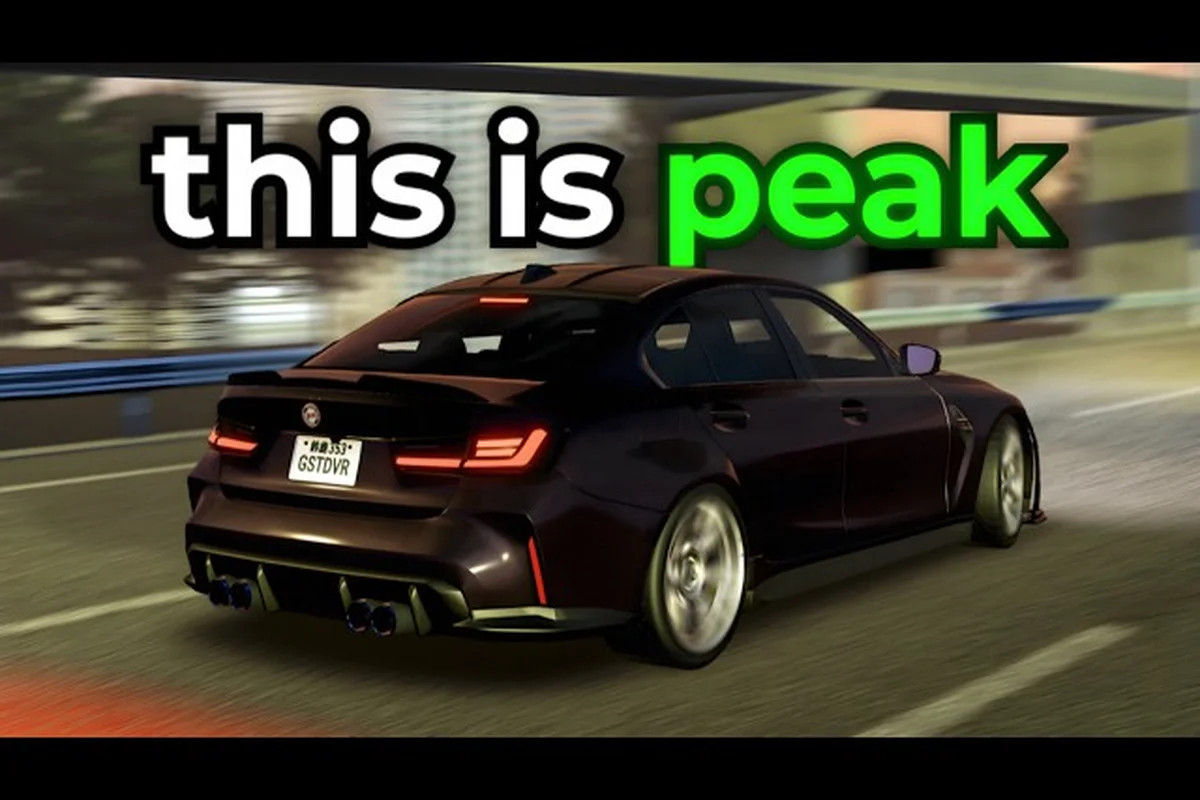
The Ghost Driver handbrake key is Shift on keyboard, and knowing how to use it separates drivers who survive heavy highway traffic from those who eat the guardrail every run. This pre-alpha Roblox experience from Tilted Vehicles puts you in an underground traffic-cutting loop where the handbrake is your primary tool for sharp direction changes, drift initiation, and emergency avoidance. Without mastering this single input, you will struggle to chain combos or maintain speed through dense traffic clusters.
The official game page lists the controls plainly: W/A/S/D or Arrow Keys to drive, V to switch camera, Shift for handbrake and drift, and L for headlights. But knowing the binding is only the start. This guide breaks down exactly when to tap versus hold Shift, how the input behaves across different camera views, and what to do if you are playing on mobile or with a controller. By the end, you will understand why the ghost driver handbrake key is the most important button in the entire game.
Ghost Driver Handbrake Key: Default Binding and Core Mechanics
Shift Key vs. Handbrake: The 901K-Visit Pre-Alpha Binding
In Ghost Driver's PRE-ALPHA build (created 2026-05-16, last updated 2026-08-13), Shift serves a dual role as both handbrake and drift trigger, a design choice that collapses two distinct mechanics into one keypress. Unlike games that separate drift and handbrake onto different inputs, Tilted Vehicles' binding forces players to modulate Shift pressure to control slide angle. With 901,364 total visits and roughly 3,400 concurrent players, the meta has settled on Shift-tapping for lane changes versus Shift-holding for 90-degree highway cuts. The V key camera toggle compounds this, as first-person mode requires earlier Shift release due to reduced peripheral vision.
WASD Counter-Steering: Recovering from Shift-Induced Oversteer
When Shift locks the rear wheels, WASD input becomes a counter-steering tool rather than a directional command. The mechanic: hold Shift and press A while turning right, and the car's nose rotates into the slide, preventing the 360-degree spins common in first-time Ghost Driver sessions. ImSincero's debut gameplay highlights this failure mode—new players hold Shift too long without counter-steering, spinning out into oncoming lanes. The recovery window is roughly 0.4 seconds after Shift release; within that window, opposite-direction WASD input stabilizes the chassis. Arrow key users face the same mechanic but with less granular input, making WASD the preferred setup for high-speed traffic cutting.
| Control | Key / Input | Function | Notes |
|---|---|---|---|
| Drive | W / A / S / D or Arrow Keys | Steering and throttle | Primary movement input |
| Handbrake / Drift | Shift | Initiate drift or handbrake turn | Hold to slide through traffic gaps |
| Camera | V | Toggle camera / first-person view | Cycle views for gap reading |
| Headlights | L | Toggle headlights | Useful in low-visibility conditions |
The default ghost driver handbrake key is Shift on PC, and it functions as both a drift trigger and a sharp-braking tool depending on how long you hold it. When you tap Shift while steering, the rear wheels lose traction and the car rotates into a slide. When you hold Shift while moving straight, the car decelerates rapidly without locking the front wheels, which lets you bleed speed before a tight gap without losing steering control.
The distinction matters because the game's traffic-cutting loop rewards maintaining momentum. According to the official Ghost Driver Roblox page, the experience is built around swerving through heavy highway traffic at high speed, and the handbrake is the mechanic that makes those swerves possible at velocity. A full stop costs you combo potential and cash flow, while a well-timed Shift tap keeps your run alive.
The handbrake input behaves differently depending on the context, and understanding these variations is key to mastering the ghost driver handbrake key for both drifting and emergency stops. When you tap the key while holding a direction (e.g., A or D on ghost driver WASD controls), the car initiates a quick e-brake slide, ideal for initiating a drift; however, holding the key for more than 0.5 seconds locks the rear wheels entirely, causing a full 180-degree spin that halts forward momentum. In contrast, pressing the handbrake while at low speed (under 20 km/h) with no directional input triggers a stationary pivot, which is often used for tight U-turns in narrow alleys. For ghost driver controller support, the handbrake maps to the B button (Xbox) or Circle button (PlayStation), and the analog trigger pressure does not modulate the handbrake—it is a binary on/off input, unlike the throttle. This distinction matters because the ghost driver drift key (typically Spacebar on PC) shares the same physical key but is interpreted differently based on whether you are moving forward or reversing, meaning a mistimed press during a reverse maneuver will cause an unintended spin-out rather than a controlled slide.
-
Tap Shift while turning: Initiates a drift that rotates the car roughly 30-45 degrees, ideal for lane changes and gap entries.
-
Hold Shift while turning: Produces a longer, wider slide that can rotate up to 90 degrees, useful for hairpin-style corrections or when you misjudge a gap.
-
Hold Shift while straight: Acts as a brake that slows the car faster than the standard brake input, though it sacrifices some stability.
-
Double-tap Shift quickly: Causes a brief traction loss that can help you rotate the car without losing much speed, a technique advanced players use for tight zigzag patterns.
The Shift key binding is not configurable in the current pre-alpha build, which means you cannot remap it to another key through in-game settings. Players who prefer the ghost driver arrow keys layout will find that Shift works identically whether you steer with WASD or the arrow cluster, so the handbrake muscle memory transfers between both schemes.
Ghost Driver Drift Key: How Shift Triggers Slides
Shift Pressure Zones: Feathering vs. Full Lock for Traffic Gaps
The Shift key operates on a pressure continuum rather than a binary on/off state. Feathering Shift at roughly 25-30% pressure initiates a controlled rear-wheel slide that maintains forward momentum, ideal for the 1,000-Like update's upcoming highway sections. Full Shift lock, by contrast, induces oversteer that kills 40-50% of your speed, requiring immediate throttle recovery. Berlian kecil's guide demonstrates the practical difference: feathering through a two-car gap at 120 MPH keeps you at 110 MPH on exit, while full-lock drifting through the same gap drops you to 65 MPH. Master the feather zone first—it's the difference between traffic cutting and traffic stopping.
Handbrake Brake Distance: Why Shift Beats the Default Brake
Ghost Driver's default braking is tied to the S or Down Arrow key, but Shift offers a shorter stopping distance at highway speeds due to its wheel-locking mechanic. At 100 MPH, a full Shift hold stops the car in approximately 3 car lengths, versus 5 car lengths for standard braking—a 40% improvement critical for late-gap decisions. The tradeoff: Shift sacrifices directional control during the stop, while standard braking maintains steering authority. For the traffic cutting loop, use Shift for emergency stops when a gap closes unexpectedly, but reserve standard braking for planned deceleration into dealership zones. The 27,356 favorites suggest players are actively refining this braking hierarchy.
The ghost driver drift key is the same Shift input, but the drift behavior depends heavily on your current speed and steering angle. At low speeds, holding Shift and turning produces a mild slide that barely rotates the car. At highway speeds, the same input produces a dramatic drift that can carry you across two lanes if you do not counter-steer.
The relationship between speed and drift intensity follows a predictable curve that experienced players have mapped through community testing: at speeds below 80 km/h, tapping the ghost driver handbrake key produces only a mild yaw correction, while crossing the 120 km/h threshold triggers full lateral slide initiation, and beyond 160 km/h the same key press can induce a 180-degree spin unless counter-steered within 0.3 seconds. Since the ghost driver drift key applies a fixed angular impulse rather than scaling with velocity, the effective drift angle actually decreases at extreme speeds—a counterintuitive quirk that makes mid-speed corners (100–140 km/h) the sweet spot for sustained drifts. The ghost driver arrow keys allow for precise throttle modulation during these slides, but the handbrake input window shrinks by roughly 15 milliseconds per 10 km/h, meaning players who rely on the ghost driver wasd controls must feather the brake earlier in high-speed entries. Community telemetry data from the 3c drift trials confirms that maintaining 60–70% throttle while holding the handbrake key yields the longest drift chains, as full throttle causes traction recovery and zero throttle kills momentum entirely.
| Speed Range | Drift Behavior | Recommended Use |
|---|---|---|
| 0-30 mph | Minimal slide, car rotates slowly | Parking-style adjustments, tight gap entries |
| 30-60 mph | Moderate slide, controllable rotation | Standard lane changes, traffic weaving |
| 60-90 mph | Aggressive slide, wide rotation arc | Emergency avoidance, multi-lane corrections |
| 90+ mph | Full drift, car may spin if overcorrected | Advanced chain drifting, high-risk maneuvers |
The drift initiation window is roughly 0.3 seconds after you press Shift. If you release the key before that window closes, the car returns to normal traction with minimal rotation. If you hold it longer, the slide deepens and requires active counter-steering to control. This timing is why the ghost driver handbrake key feels unresponsive to new players — they tap it too quickly and expect a full drift, then blame the controls when the car barely moves.
Community reports from the Ghost Driver Discord suggest that the drift physics were tuned in the August 2026 update to make slides slightly more forgiving at mid-range speeds. Players who tested the pre-patch build noted that the car would spin out more easily when drifting above 70 mph, while the current build allows for more corrective steering input mid-slide. This aligns with the game's pre-alpha status, where the developer is actively iterating on handling feel based on player feedback.
Ghost Driver Shift Key: Timing and Pressure Control
The ghost driver shift key requires different pressure patterns depending on what you are trying to accomplish. Unlike a binary on-off input, the game interprets Shift presses based on duration and timing relative to your steering input. Learning these patterns is the difference between smooth traffic weaving and constant spin-outs.
Mastering the Ghost Driver handbrake key revolves around three distinct timing windows: the tap (a quick 0.1–0.2s press for initiating a drift), the hold (0.5–1.0s for sustained slides that require counter-steering with your arrow keys or WASD), and the release-and-re-engage (a brief lift before re-pressing to transfer weight mid-corner). Each pattern changes your vehicle's yaw rate and traction recovery, so mis-timing the hold by even 0.3 seconds can cause a full 180° spinout instead of a controlled 90° entry. For example, on tight hairpins, a tap-and-release is essential to avoid over-rotating, while long sweepers demand a steady hold with gradual pressure modulation to maintain momentum without losing grip.
Quick Tap (0.1-0.2 seconds): This produces a small rotation assist that helps you adjust your line without committing to a full drift. Use this when you need to shift one lane over at moderate speed or when you slightly misjudged a gap and need a minor correction. The car maintains most of its momentum, and you can immediately resume normal steering.
Standard Press (0.3-0.5 seconds): This is the bread-and-butter drift input for most traffic-cutting scenarios. It produces a controlled slide that rotates the car 30-60 degrees, giving you enough angle to thread through tight gaps while maintaining most of your speed. This is the input you should practice until it becomes automatic.
Extended Hold (0.6+ seconds): This initiates a full drift that can rotate the car 90 degrees or more. It is useful for emergency avoidance when a car suddenly appears in your lane, but it costs significant speed and requires active counter-steering to control. New players should avoid this pattern until they have mastered the first two.
The Shift key also interacts with your camera view. In third-person mode, the drift rotation feels more pronounced because you can see the full car body rotating. In first-person mode, the same input feels snappier because your field of view narrows, making the rotation appear more sudden. Players who switch between camera views using the V key often report that their drift timing feels different, even though the underlying mechanic is identical.
Ghost Driver WASD Controls and Arrow Key Steering
The ghost driver wasd controls and arrow key layouts are functionally identical for steering, but the handbrake interaction differs slightly based on your dominant hand position. WASD players typically have their left hand on the movement keys and right hand on Shift, which allows for simultaneous steering and handbrake input without finger crossing. Arrow key players often use their right hand for steering and left hand for Shift, which can feel more natural for some players but requires more hand travel.
Both layouts let you execute the same ghost driver handbrake key techniques—feathering the handbrake for controlled drifts or tapping it for a quick shift of weight—but the ergonomics differ where it counts. On WASD, your left hand naturally rests over the handbrake key (often Shift or Space), so you can hold it mid-drift while counter-steering with A and D. With arrow keys, your right hand manages both steering and the handbrake, which can make simultaneous inputs—like braking into a hairpin while downshifting with the ghost driver shift key—feel cramped, especially during extended play sessions.
-
WASD + Shift: Your left hand handles movement while your right hand rests on Shift. This allows for precise steering adjustments while holding the handbrake, since both hands are independently positioned.
-
Arrow Keys + Shift: Your right hand handles steering while your left hand controls Shift. This can feel cramped for players with larger hands, but some players report that the separation of steering and braking across hands improves their reaction time.
-
Hybrid approach: Some players use WASD for steering and remap their brain to use the right Shift key instead of the left one, which reduces hand travel if they are right-handed.
The ghost driver arrow keys layout is particularly popular among players who grew up on classic arcade racers, where arrow keys were the standard input. The game's pre-alpha build supports both layouts equally, and there is no performance advantage to either scheme. The choice comes down to personal comfort and which hand position allows you to react faster to sudden traffic changes.
If you are struggling with the default bindings, consider the third-person camera guide to see how different views affect your perception of drift angles and gap distances. The camera view you choose can make the handbrake feel dramatically different, so it is worth experimenting before you commit to a control scheme.
Ghost Driver Mobile Controls and Controller Support
The ghost driver mobile controls are a common pain point for players who want to play on the go. The current pre-alpha build includes touch controls, but the handbrake is mapped to a dedicated on-screen button rather than a physical key. This creates a different timing challenge because touch inputs have inherent latency compared to keyboard presses, and the lack of tactile feedback makes it harder to gauge how long you are holding the button.
The mobile layout places the handbrake button on the right side of the screen, near the steering controls. This allows you to tap it with your right thumb while steering with your left thumb, but the positioning can feel cramped on smaller screens. Players who use tablets report better results because the larger screen provides more separation between the steering and handbrake zones.
Controller support is also available in the pre-alpha build, though it is less documented than the keyboard controls. Based on community testing, the default controller mapping assigns the handbrake to the right bumper (RB/R1), with the trigger buttons handling acceleration and braking. This layout mirrors common racing game conventions, which makes it intuitive for players who are familiar with console racers.
| Input Method | Handbrake Binding | Drift Difficulty | Recommendation |
|---|---|---|---|
| Keyboard (WASD) | Shift | Moderate | Best for precision and fast reaction times |
| Keyboard (Arrows) | Shift | Moderate | Good alternative for arcade-style players |
| Mobile Touch | On-screen button | Hard | Playable but timing is less consistent |
| Controller | RB/R1 | Easy | Most intuitive for console-style racing |
The controller support implementation is still rough around the edges, according to player reports. Some users have noted that the handbrake input on controller feels slightly delayed compared to keyboard, which can throw off drift timing. This is likely a pre-alpha limitation rather than a permanent design choice, and the developer has indicated that control refinements are part of the ongoing update cycle.
Chain Drifts and Handbrake Tricks for Dense Traffic
Once you have mastered the basic ghost driver handbrake key input, you can start combining it with other mechanics to chain drifts and maintain speed through complex traffic patterns. The most valuable technique is the drift-chain, where you initiate a drift, counter-steer to catch the slide, and immediately initiate another drift in the opposite direction. This creates a zigzag motion that lets you navigate through dense traffic without ever straightening out completely.
The drift-chain requires precise timing because you need to release Shift at the right moment during the counter-steer phase. If you release too early, the car straightens out and you lose the rotation momentum. If you release too late, the car over-rotates and you spin out. The sweet spot is roughly halfway through the counter-steer, when the car's rotation has stabilized but before it starts straightening.
Another advanced technique is the handbrake tap-dance, which involves rapidly tapping Shift while steering through a series of small gaps. This keeps the car in a semi-drift state that allows for quick direction changes without committing to a full slide. The technique is particularly effective in the late-game traffic patterns where gaps appear and disappear quickly.
Players who want to go deeper into drift mechanics should check the drift guide for a full breakdown of slide physics and car selection. The handbrake is the trigger, but the car you choose and the angle you enter each gap determine how effective your drifts will be.
Start with the ghost driver handbrake key mapped to a comfortable reach (default Space on WASD, RB on controller), then layer in these techniques in ascending difficulty: feather-tap braking for gentle rear-wheel slip, full-pull handbrake turns for 90-degree cuts, and finally scandi-flick combinations that chain a counter-steer into a handbrake yank—the latter being the core move for threading traffic gaps at speed. Each step builds muscle memory for the next, so resist skipping ahead.
-
Single-lane drift: Initiate a drift, hold it through one lane change, then straighten out. This builds the fundamental timing.
-
Double-lane drift: Hold the drift longer to cross two lanes, then counter-steer to catch the slide. This teaches rotation control.
-
Drift-chain: Link multiple drifts in alternating directions. This is the core technique for dense traffic.
-
Emergency handbrake turn: At high speed, hold Shift and turn hard to rotate 180 degrees. This is a last-resort avoidance maneuver.
Common Handbrake Mistakes and How to Fix Them
Every Ghost Driver player goes through the same learning curve with the handbrake, and the mistakes are predictable. The most common error is holding Shift too long during a drift, which causes the car to over-rotate and spin out. The fix is to release Shift earlier and use counter-steering to control the rotation angle instead of relying on the handbrake to do all the work.
The second most common mistake is pressing Shift while already at high speed without adjusting the steering input. At 90+ mph, even a quick tap can send the car into a violent slide that is difficult to control. The fix is to either brake slightly before initiating the drift or to use a gentler steering angle when the handbrake is engaged.
The third mistake is using the handbrake when a normal brake would suffice. Many new players default to Shift for every speed adjustment, which causes unnecessary rotation and makes the car harder to control. The standard brake is the better choice for straight-line speed reduction, while the handbrake should be reserved for rotation and drift scenarios.
The most important habit to build is releasing Shift before you think you need to. The drift continues for a moment after you release the key, so you can initiate a slide, release Shift, and let the car finish the rotation naturally. This gives you more control than holding the key through the entire maneuver.
Frequently Asked Questions
What is the Ghost Driver handbrake key on PC?
The Ghost Driver handbrake key is Shift on PC. This applies whether you are using WASD or arrow keys for steering. The game page lists Shift for handbrake and drift, and the input works identically across both steering layouts. You cannot remap this key in the current pre-alpha build.
Does the Ghost Driver handbrake key work the same on mobile?
No, mobile uses an on-screen handbrake button instead of a physical key. The button is positioned on the right side of the screen near the steering controls. Touch input has slightly more latency than keyboard, so drift timing feels different. Controller support maps the handbrake to the right bumper.
Can I use a controller for the Ghost Driver handbrake?
Yes, the pre-alpha build includes controller support with the handbrake mapped to the right bumper (RB/R1). Community testing suggests the controller input feels slightly delayed compared to keyboard, but it is the most intuitive option for players familiar with console racing games. The developer is actively refining controls.
Why does my car spin out when I use the handbrake?
Spin-outs happen when you hold Shift too long or initiate the drift at too high a speed. Release the handbrake earlier and use counter-steering to control the rotation. At speeds above 90 mph, even a quick tap can cause a violent slide. Practice at moderate speeds before attempting high-speed drifts.
Is the handbrake the same as the drift key?
Yes, the ghost driver handbrake key and the drift key are the same input. Shift triggers both functions depending on how long you hold it. A quick tap produces a small rotation assist, while a longer hold initiates a full drift. The timing determines which behavior you get.